
How to set a Telegram username
Updated
Short answer: In Telegram, open Settings, tap Username (on iPhone, Edit first), type one with at least 5 letters, numbers or underscores, and save. Stars and Premium are delivered to a username, so the account that receives them needs one, including yours if you buy for yourself.

Set your username
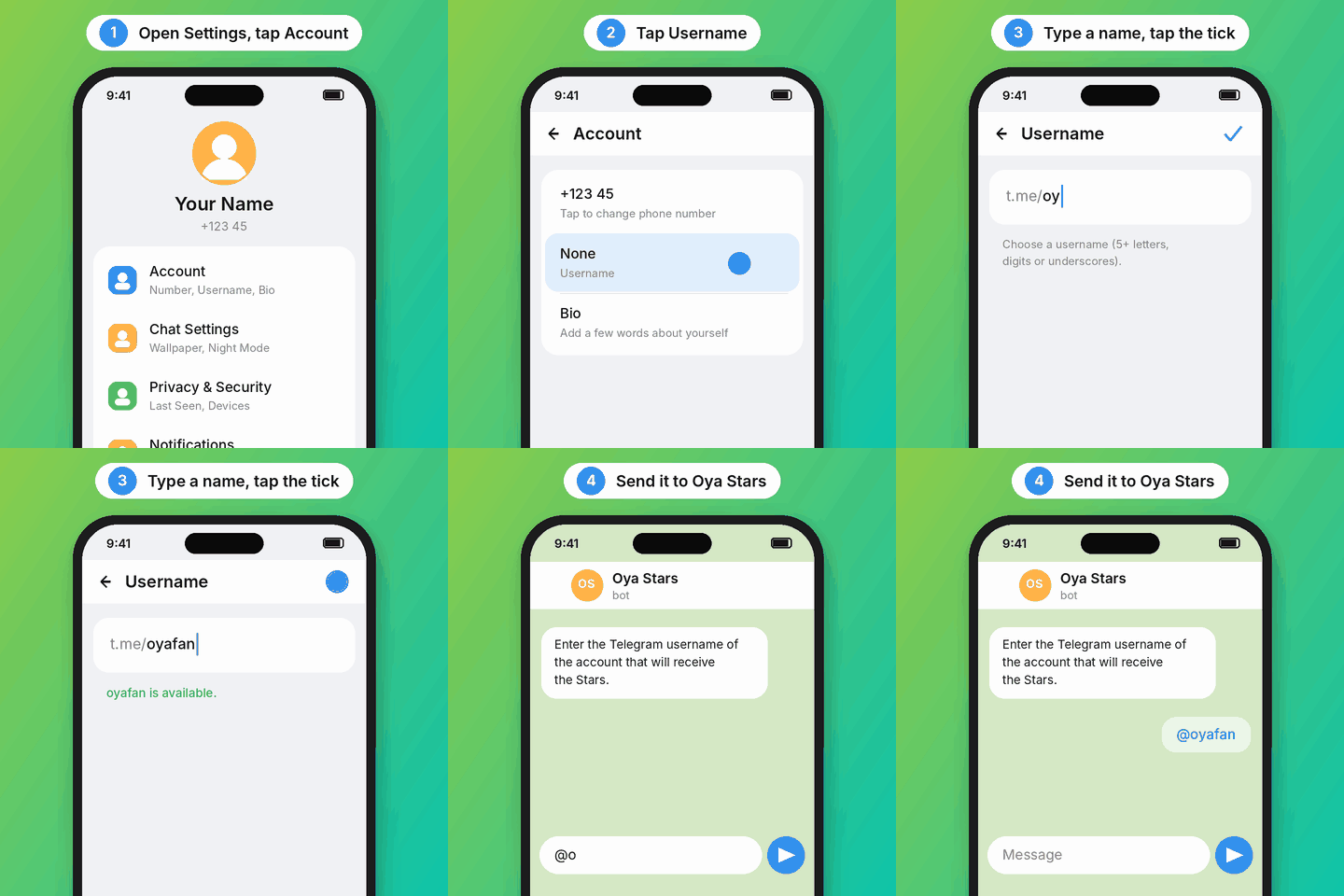
- Open Telegram and go to Settings.
- On Android, tap Username under Account. On iPhone, tap Edit, then Username.
- Type the username you want. Telegram tells you straight away if it's taken.
- Tap the tick (Android) or Done (iPhone) to save it.
The rules for usernames
- Letters a-z, numbers 0-9 and underscores (_), starting with a letter.
- At least 5 characters.
- Capitals don't matter:
YourName_KEandyourname_keare the same username. - Each username belongs to one account only, so you may need to try a few.
Once you have a username, people can find you by it in Telegram's search and message you without knowing your phone number. If you'd rather not be found, you can remove it again after your order is delivered.
Back in the bot
Go back to the bot and tap Myself again, or, if you're buying for someone else, send their username. You can type it with or without the @, or paste their t.me link. The bot checks it with Telegram and shows you the account it found before you pay.
Back to Oya StarsQuestions
Why do I need a username to receive Stars?
Stars and Premium bought outside the Telegram app are sent to an account by its username. Without one, there's nowhere to send them.
Can I change or remove my username later?
Yes, any time, in the same place. Change it only after your order is delivered.
Does a username show my phone number?
No. People can find and message you by your username without seeing your number; who sees your number is set in Settings › Privacy and Security.
Next: How to buy Telegram Stars with M-Pesa, or see today's Stars prices.